Use SwingUtilities.invokeLater() to create and show a Swing window on the event dispatch thread (EDT). Swing uses this thread to process events such as mouse clicks and to update the interface.
This example opens a window and prints whether the code that creates it is running on the EDT.
Source code
Save the following code as SwingEdtExample.java:
import javax.swing.JFrame;
import javax.swing.JLabel;
import javax.swing.SwingConstants;
import javax.swing.SwingUtilities;

public class SwingEdtExample {
    void main() {
        IO.println("main() on the EDT: "
                + SwingUtilities.isEventDispatchThread());

        SwingUtilities.invokeLater(this::showWindow);
    }

    private void showWindow() {
        IO.println("showWindow() on the EDT: "
                + SwingUtilities.isEventDispatchThread());

        JFrame frame = new JFrame("Hello, Swing!");
        frame.setDefaultCloseOperation(JFrame.EXIT_ON_CLOSE);
        frame.add(new JLabel("Welcome to Swing", SwingConstants.CENTER));
        frame.setSize(400, 240);
        frame.setLocationRelativeTo(null);
        frame.setVisible(true);
    }
}
What the window looks like
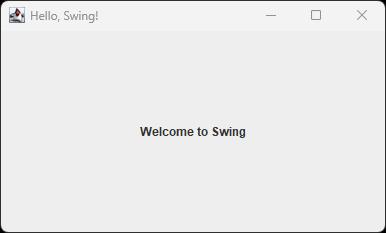
The window looks like the one in the previous example. The console messages show which thread runs each method.
Explanation
When you launch the program, main() runs outside the EDT. It schedules the showWindow() method with this line:
SwingUtilities.invokeLater(this::showWindow);
The method reference this::showWindow supplies the task. invokeLater() puts that task on Swing’s event queue and returns without waiting. The EDT runs the task when it reaches the front of the queue.
The showWindow() method creates the frame and label, adds the label to the frame, and makes the window visible. All of those steps run on the EDT. Calling showWindow() directly from main() would run those steps on the main thread instead.
SwingUtilities.isEventDispatchThread() checks the thread that is running the current code. It returns false in main() and true in showWindow().
Run the example
javac SwingEdtExample.java
java SwingEdtExample
The console prints:
main() on the EDT: false
showWindow() on the EDT: true
Keep work on the EDT short. A slow operation, such as downloading a file, can keep Swing from responding to clicks or repainting the window. Run slow work in the background and send interface updates back to the EDT.