
You can create a neon vortex in Java Swing by drawing nested hexagons with Graphics2D and changing their size, rotation, and color over time. Layering wide, transparent strokes behind each outline produces a soft glow without external libraries.
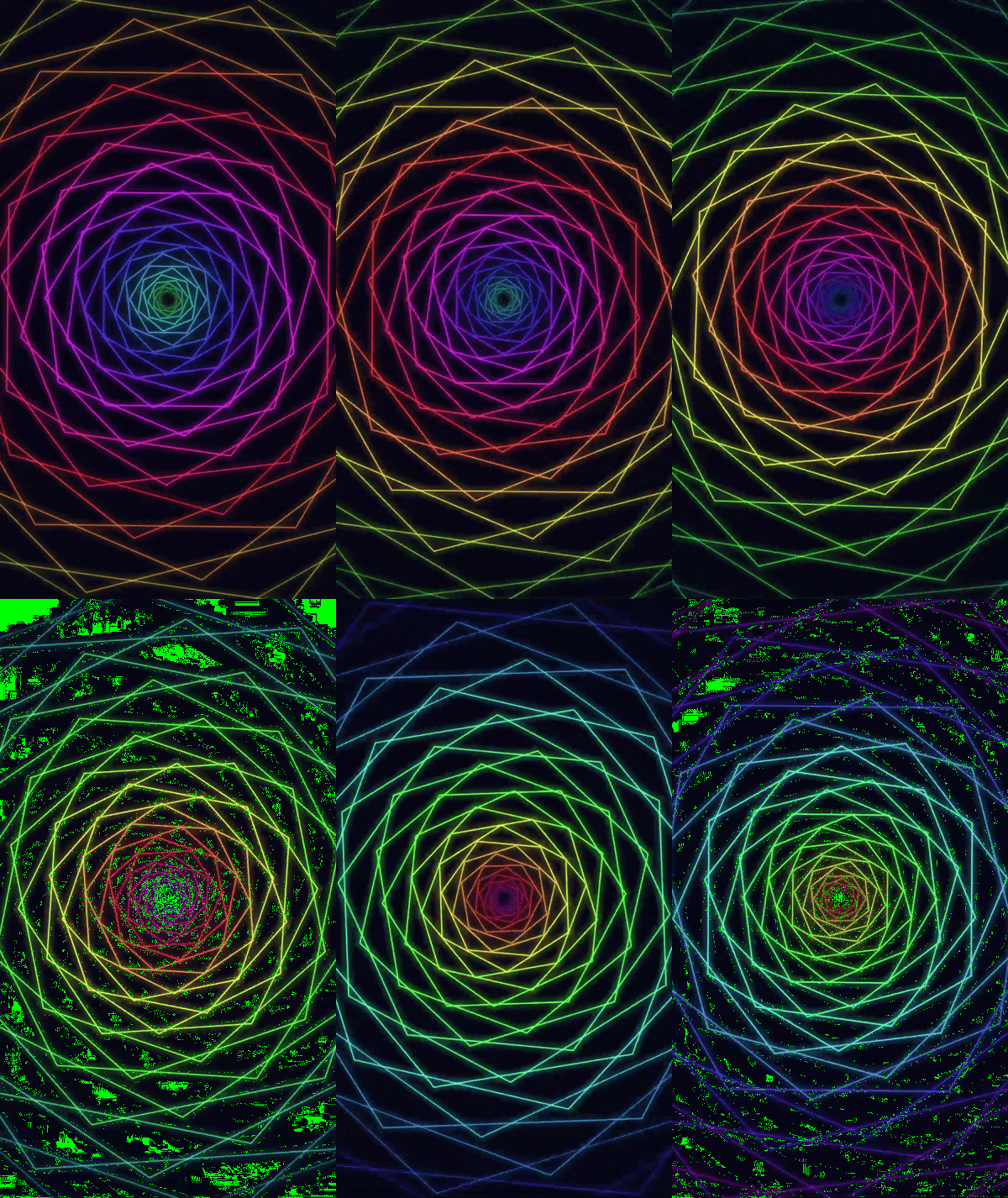
In this SwingLoops example, rainbow hexagons expand from a dark center to create a twisting tunnel. The animation follows an eight-second cycle and uses a portrait canvas suitable for recording a short video.
Source code
Save the following code as NeonVortex.java:
import javax.swing.*;
import java.awt.*;
import java.awt.geom.Path2D;

public class NeonVortex extends JPanel {
    private final long start = System.nanoTime();
    private final Timer timer = new Timer(16, e -> repaint());

    public NeonVortex() {
        setPreferredSize(new Dimension(540, 960));
        setBackground(new Color(5, 7, 20));
    }

    @Override
    public void addNotify() {
        super.addNotify();
        timer.start();
    }

    @Override
    public void removeNotify() {
        timer.stop();
        super.removeNotify();
    }

    @Override
    protected void paintComponent(Graphics graphics) {
        super.paintComponent(graphics);
        Graphics2D g = (Graphics2D) graphics.create();
        g.setRenderingHint(RenderingHints.KEY_ANTIALIASING,
                RenderingHints.VALUE_ANTIALIAS_ON);
        g.translate(getWidth() / 2.0, getHeight() / 2.0);
        double scale = Math.min(getWidth() / 540.0, getHeight() / 960.0);
        g.scale(scale, scale);
        // An eight-second cycle: positions and colors repeat together.
        double phase = ((System.nanoTime() - start) / 1e9 % 8.0) / 8.0;
        for (int i = 0; i < 32; i++) {
            double depth = (i / 32.0 + phase) % 1.0;
            double radius = 12 + 690 * depth * depth;
            double angle = depth * 4 * Math.PI + phase * 2 * Math.PI;
            float hue = (float) ((depth + phase) % 1.0);
            Color color = Color.getHSBColor(hue, 0.8f, 1f);
            float opacity = (float) Math.sin(Math.PI * depth);
            Shape ring = polygon(radius, angle);
            for (int glow = 3; glow >= 1; glow--) {
                g.setComposite(AlphaComposite.SrcOver.derive(opacity * 0.07f));
                g.setColor(color);
                g.setStroke(new BasicStroke(glow * 7f,
                        BasicStroke.CAP_ROUND, BasicStroke.JOIN_ROUND));
                g.draw(ring);
            }
            g.setComposite(AlphaComposite.SrcOver.derive(opacity));
            g.setColor(color);
            g.setStroke(new BasicStroke(2f));
            g.draw(ring);
        }
        g.dispose();
    }

    private static Shape polygon(double radius, double rotation) {
        Path2D path = new Path2D.Double();
        for (int vertex = 0; vertex < 6; vertex++) {
            double a = rotation + vertex * Math.PI / 3;
            double x = radius * Math.cos(a), y = radius * Math.sin(a);
            if (vertex == 0) path.moveTo(x, y);
            else path.lineTo(x, y);
        }
        path.closePath();
        return path;
    }

    public static void main(String[] args) {
        SwingUtilities.invokeLater(() -> {
            JFrame frame = new JFrame("SwingLoops - Neon Vortex");
            frame.setDefaultCloseOperation(JFrame.EXIT_ON_CLOSE);
            frame.setContentPane(new NeonVortex());
            frame.pack();
            frame.setLocationRelativeTo(null);
            frame.setVisible(true);
        });
    }
}
Run the example
You need a JDK and a desktop environment to run this Swing application. The source was compiled successfully with JDK 25; visual playback has not yet been verified.
Open a terminal in the directory containing NeonVortex.java, then compile and run it:
javac NeonVortex.java
java NeonVortex
The application opens a window with a preferred drawing area of 540 × 960 pixels. The animation continues until you close the window. If it does not fit your screen, reduce both preferred dimensions proportionally, for example to 405 × 720.
How does the animation work?
Refreshing the panel with a Swing Timer
A javax.swing.Timer requests a repaint approximately every 16 milliseconds:
private final Timer timer = new Timer(16, e -> repaint());
This targets roughly 60 updates per second, although actual timing depends on the system and event queue. The timer starts when the panel becomes displayable and stops when it is removed.
The animation uses elapsed time rather than a frame counter, so its cycle does not depend on receiving an exact number of timer events. SwingUtilities.invokeLater() creates the interface on Swing’s event-dispatch thread, where timer callbacks and painting also run.
Moving hexagons through the tunnel
The elapsed time is converted into a value from zero up to, but not including, one:
double phase = ((System.nanoTime() - start) / 1e9 % 8.0) / 8.0;
Each of the 32 hexagons receives a different position within the cycle:
double depth = (i / 32.0 + phase) % 1.0;
double radius = 12 + 690 * depth * depth;
As depth increases, the hexagon grows. Squaring depth makes growth slower near the center and faster toward the outside, suggesting motion toward the viewer. The modulo operation returns each hexagon to the center after it reaches the end of its cycle.
Drawing and rotating a hexagon
The polygon() method places six vertices around a circle. Each vertex is separated by 60 degrees, or Math.PI / 3 radians:
double a = rotation + vertex * Math.PI / 3;
double x = radius * Math.cos(a);
double y = radius * Math.sin(a);
A Path2D connects the vertices and closes the shape. The rotation combines the hexagon’s depth with the current animation phase:
double angle = depth * 4 * Math.PI + phase * 2 * Math.PI;
Different depths produce different orientations, while the phase rotates the tunnel over time.
Creating rainbow colors and a neon glow
Color.getHSBColor() converts a changing hue into a vivid RGB color. Saturation and brightness stay fixed while the hue moves around the color wheel.
For the glow, the application draws each hexagon three times using wide strokes with low opacity. A thin, brighter outline is drawn on top. This approximates a neon glow using ordinary strokes rather than a blur filter.
The opacity follows a sine curve:
float opacity = (float) Math.sin(Math.PI * depth);
Each hexagon fades in near the center, becomes brighter midway through its journey, and fades out near the outside. This also softens the moment when its depth wraps back to zero.
Preserving the aspect ratio
Before drawing, the code moves the coordinate origin to the panel’s center and applies a uniform scale based on the available width and height. Resizing the window therefore preserves the hexagons’ proportions instead of stretching them.
The drawing uses a copied Graphics2D context, which is disposed after painting so that its transforms and drawing settings do not affect other painting operations.
Customize the animation
Try changing one parameter at a time:
| Parameter | Effect |
|---|---|
8.0 in the phase calculation |
Cycle duration in seconds; a larger value slows the animation. Change both occurrences together. |
32 in the loop and depth calculation |
Number of hexagons; change both occurrences together. |
690 in the radius calculation |
Maximum expansion distance. |
depth * 4 * Math.PI |
Amount of twist across the tunnel. |
glow * 7f |
Width of the glow strokes. |
new Color(5, 7, 20) |
Background color. |
The complete source code above is free to copy and run. No external libraries or image assets are required.